
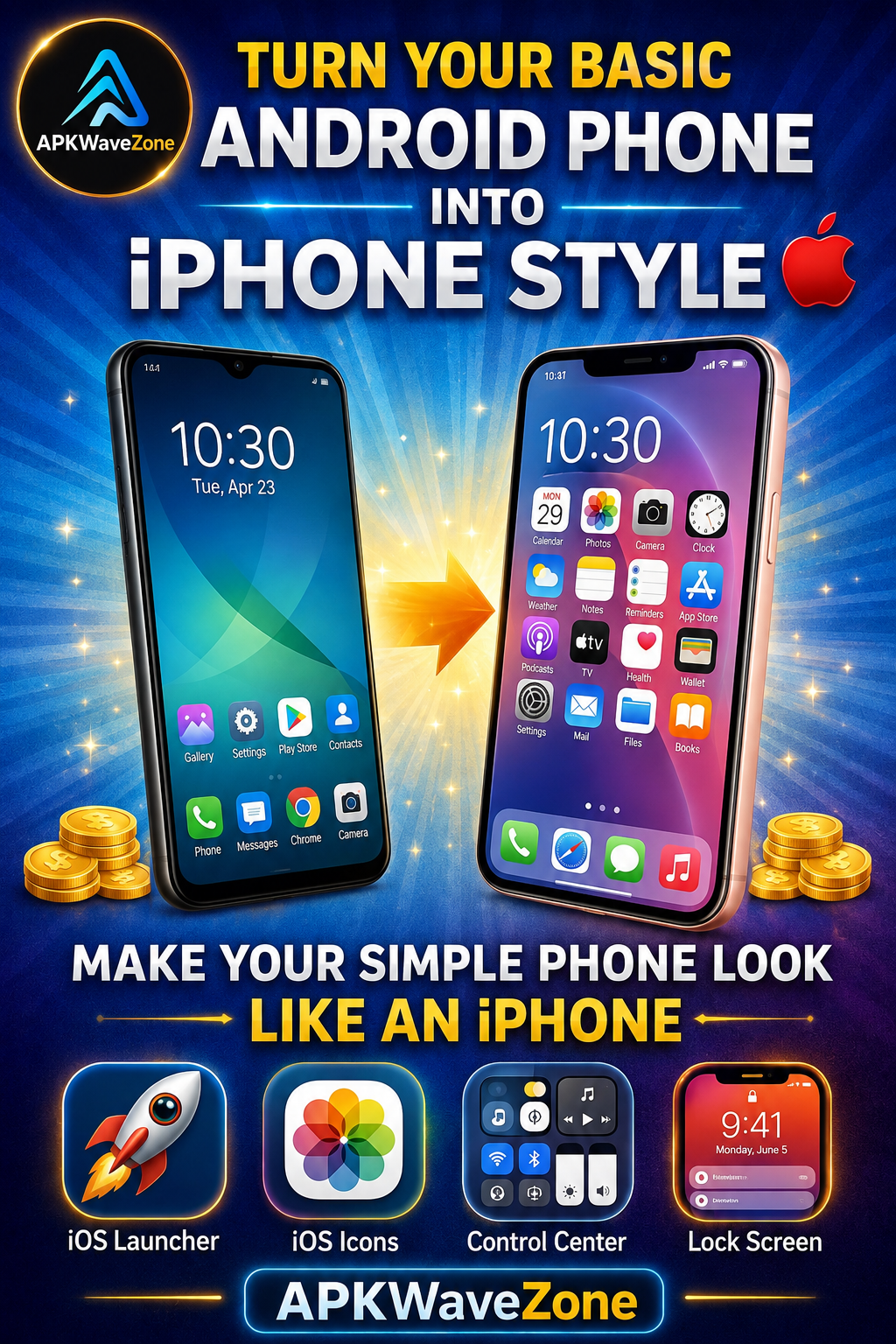
Many smartphone users love the sleek design and smooth interface of the iPhone. However, not everyone wants to spend a fortune on a new Apple device. The good news is that modern Android phones are highly customizable. With the right tools and settings, you can easily give your Android device an iPhone-like appearance.
This process is often known as customizing Android to look like an iPhone. In this guide, we will explain simple and safe ways to customize your Android interface so it looks similar to iOS. The steps are easy to follow and do not require advanced technical knowledge.
Why Do People Want to Make Android Look Like an iPhone?
Android phones are powerful and feature-rich, but many people appreciate the visual style of iOS. The icons, Control Center, lock screen, and overall layout of Apple devices have a clean and elegant appearance.
As a result, many Android users look for ways to create a similar interface without purchasing a new iPhone.
Another reason is customization. Android gives users the freedom to install launchers, icon packs, widgets, and other customization tools. By combining these features, you can create an iPhone-inspired look while continuing to use Android.
How to Make Your Android Look Like an iPhone
There are several simple ways to give your Android phone an iPhone-like appearance. You can change the home screen, icons, Control Center, lock screen, wallpaper, and widgets.
Install an iOS Launcher
The easiest way to make an Android phone look like an iPhone is to install an iOS-style launcher. A launcher is an application that allows you to customize the appearance of your device’s home screen, icons, app layout, and animations.
There are many launchers available on the Google Play Store that are designed to mimic the iPhone interface. After installing one, you can get an iOS-style home screen with similar icons and transitions.
To install and use an iOS-style launcher:
- Open the Google Play Store.
- Search for a reputable iOS-style launcher.
- Download and install the launcher.
- Open the app and follow its setup instructions.
- Set it as your default launcher if you want to use it permanently.
After completing these steps, your Android home screen should have a much more iPhone-like appearance.
Use iOS Icon Packs
Icons are an important part of a smartphone’s interface. iPhones have a recognizable icon design that many users find attractive.
To make your Android phone look more like an iPhone, you can install an iOS-style icon pack. Icon packs replace your existing app icons with designs inspired by Apple’s interface.
For the best results, use an icon pack that is compatible with your launcher. Download it from a trusted source and apply it through your launcher’s customization settings.
Combining an iOS-style launcher with matching icons can make your Android home screen look much closer to an iPhone.
Add an iOS-Style Control Center
Another noticeable feature of the iPhone experience is the Control Center. It allows users to quickly access features such as Wi-Fi, Bluetooth, brightness, flashlight, and other controls.
Some Android customization apps can provide an iOS-inspired Control Center. Depending on the app, you may be able to open the panel by swiping from the edge or another designated area of the screen.
Adding an iOS-style Control Center can make your Android phone feel more similar to an iPhone.
Change the Lock Screen Style
The lock screen is one of the first things you see when you pick up your phone. Therefore, changing its appearance can make a significant difference.
Some Android customization apps offer iOS-inspired lock screens with similar clock designs, notifications, wallpapers, and layouts.
If you decide to use a third-party lock screen app, carefully review the permissions it requests. Avoid apps that ask for unnecessary access to sensitive information.
Use iPhone Wallpapers and Widgets
Apple devices are known for their simple and elegant wallpapers. Choosing a suitable wallpaper can make your Android phone look even more like an iPhone.
You can use wallpapers inspired by the iPhone’s clean and minimalist design. After applying the wallpaper, consider adding simple widgets that match the overall appearance of your home screen.
Keeping your home screen clean and organized can further enhance the iOS-inspired look.
Benefits of Making Android Look Like an iPhone
Changing the Android interface to resemble an iPhone offers several advantages:
Cost Savings
You can enjoy an iPhone-inspired design without purchasing a new Apple device. This allows you to customize your existing Android phone instead of spending money on another smartphone.
More Customization Options
Android provides a high level of customization. You can change launchers, icons, wallpapers, widgets, and other visual elements according to your preferences.
Easy Installation
Most basic customization tools are relatively easy to install and configure. You generally do not need advanced technical knowledge to change the appearance of your Android phone.
Familiar and Stylish Interface
Many users appreciate the clean and minimalist appearance of iOS. An iPhone-inspired Android interface can provide a similar visual experience while allowing you to keep Android’s features and flexibility.
Important Tips for Staying Safe
When customizing your Android phone, it is important to download apps from trusted sources. The Google Play Store is generally a safer option than downloading applications from unknown websites.
Avoid installing customization apps from suspicious sources because they may contain malware or request unnecessary permissions.
Before installing a launcher, icon pack, Control Center app, or lock screen app, check its reviews, ratings, developer information, and requested permissions.
You should also avoid giving third-party apps access to sensitive information unless that permission is genuinely required for the app to work.
By following these precautions, you can customize your Android phone safely without unnecessarily compromising your device’s security or performance.
Conclusion
Making an Android phone look like an iPhone is easier than ever. With an iOS-style launcher, icon packs, Control Center customization, lock screen changes, wallpapers, and widgets, you can significantly change the appearance of your Android device.
This type of customization allows you to enjoy an iPhone-inspired design while maintaining the flexibility and functionality of Android.
If you want to give your phone a modern and stylish appearance without buying a new device, customizing Android to look like an iPhone can be a simple and affordable option. With the right tools and a little creativity, your Android phone can have an iOS-inspired look while keeping its original Android functionality.